For freelancers, 1099 contractors, and sole proprietors: capture expenses, invoice clients, and see your numbers. Your whole bookkeeping workflow, from one chat. And a full web, iPhone & Android app when you want it.
Your first month is free. No card. Then from $1 a month.
Encrypted at rest & in transit 30 days free, no card Your data stays yours
Also on iPhone and Android
Filed an extension? October 15 is the deadline.
Receipts in. Schedule C worksheet out.
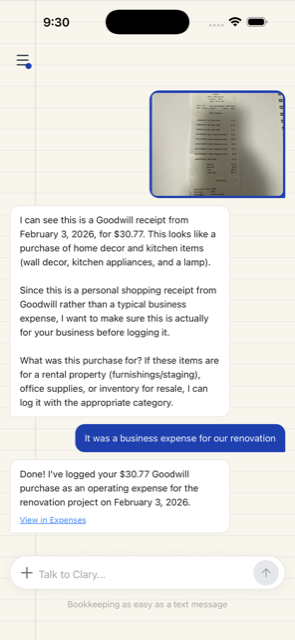
Still sitting on a pile of 2025 receipts? Photograph them one by one. ClaryBook reads each receipt, files it under a business category, and builds a line-by-line Schedule C worksheet you can hand your accountant. On web, iPhone & Android.
For real estate agents and brokers
Paste your card charges. Get a Schedule C.
Copy about 15 lines from your card statement into the chat. Clary puts MLS dues, lead ads and your CRM on a Schedule C line, so your accountant gets a worksheet instead of a statement to sort.
Lead ads 250.00 referral fee, Smith closing 300.00 CRM subscription 69.00
Logged all 3. Advertising, line 8Commissions & Fees, line 10Software/SaaS & Subscriptions, line 27a
It starts with a paste.
Copy the charges from your card statement, about 15 lines at a time. Clary files each one on a Schedule C line, from one paste.
For wedding and event photographers
Log the wedding day from the car.
Type "drove 64 miles from the studio to the venue" or "paid my second shooter $400". Clary logs the miles at the IRS rate and puts the pay on Schedule C line 11. Gear receipts go in with one photo.
drove 64 miles from the studio to the Hudson Valley wedding
Done. 64 miles at the IRS rate.
paid my second shooter $400
Logged $400. Contract Labor, line 11
It starts with one sentence.
Type what happened on the way home, or snap the gear receipt. Clary files it as a business expense, from one photo or one sentence.
For contractors and owner-operators
Books that keep up with the truck.
Type "gas 48.20" between jobs or snap the supply store receipt. Clary files each one on your Schedule C, so tax time is a download for your accountant and not a bag of receipts.
gas 48.20
Logged $48.20. Car & Truck, line 9
Got it. $212.60 at the supply store. Supplies, line 22
Two words or one photo.
Type the amount between jobs or snap the receipt. Clary reads it and files it on a Schedule C line. Got a pile? One photo per receipt.
1 Capture
Got it. $59.99 for design software. Software
drove 42 miles from my office to a client meeting
Done. 42 miles. ~$30 deduction.
It starts with one message.
Snap a receipt or say what happened. We read it, categorize it as a business expense, from one photo or one sentence.
2 Organize
$180 design software subscription this month
Logged. $180, Software.
Tools & subscriptions
3 hours design work for TechStart
Noted. 3 hrs.
TechStart IncBrand refresh
Tag it once. It rolls up everywhere.
Every entry ties to a client or project, so you see which one actually makes money, without a spreadsheet.
3 Invoice & get paid
invoice ACME $4,200 for the brand project and send it
Invoice #2026-014 · ACME CorpSent
Brand project · emailed as PDF, due in 14 days$4,200
did ACME pay yet?
Not yet. $4,200 is still open on #2026-014, due in 12 days.
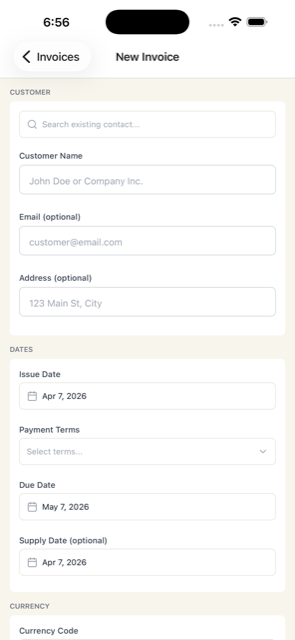
Send an invoice from the same chat.
Email it as a PDF, then mark it paid when the money lands.
Your first month is free. No card. Then from $1 a month.
4 Connect your bank
Business checking ··4521 connected. New transactions now import on their own.
This morning · synced from your bank
Design software · −$59.99Your receipt
ACME Corp · +$4,200.00Invoice #2026-014? Tap to confirm
Gas station · −$54.10Your logged expense
Confirm it and invoice #2026-014 flips to paid.
Connect your bank. Most of the matching does itself.
Connect once and transactions import automatically and match to what you've logged, so nothing slips through. Prefer not to connect? Import your bank's CSV instead. How it works
5 Follow the money
Your money · this year
Income
$96,200
client work
Spent
$41,540
8 categories
Net profit
+$54,660
in the black
Where your money goes
$41.5kspent YTD
Contractors38%
Software22%
Home office16%
Equipment14%
Travel10%
Profit by client
ACME
Tech
Maple
Oak
Pine
2 receipts missing on $312. Fix before tax time.
Review
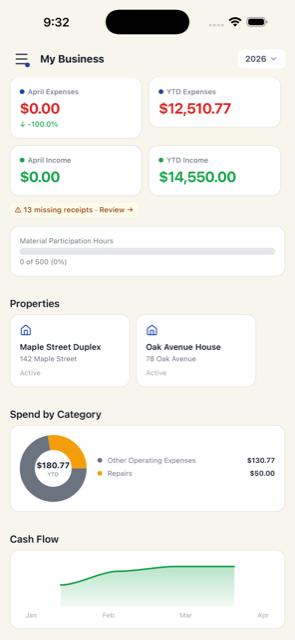
See if your business is actually making money.
Where every dollar goes, your cash flow, which client earns most, and what needs fixing.
open house signs for 14 Oak St 350
Logged. $350, Advertising, line 8.
14 Oak St listing
transaction coordinator 400 for the Lee closing
Logged. $400, Contract Labor, line 11.
Jordan LeeLee closing
Tag it to a listing or a client.
Every entry ties to a client or project, so you see which deals actually make money, without a spreadsheet.
invoice Harbor Realty $1,500 referral fee for the Diaz sale and send it
Invoice #2026-014 · Harbor RealtySent
Referral fee, Diaz sale · emailed as PDF, due in 14 days$1,500
did Harbor Realty pay yet?
Not yet. $1,500 is still open on #2026-014, due in 12 days.
Send an invoice from the same chat.
Email it as a PDF, then mark it paid when the money lands.
Business checking ··4521 connected. New transactions now import on their own.
This morning · synced from your bank
Lead ads · −$250.00Your logged expense
Harbor Realty · +$1,500.00Invoice #2026-014? Tap to confirm
Connect your bank. Most of the matching does itself.
Connect once and transactions import automatically and match to what you've logged, so nothing slips through. Prefer not to connect? Import your bank's CSV instead.
Your money · this year
Income
$118,400
commissions
Spent
$31,900
8 categories
Net profit
+$86,500
in the black
Where your money goes
$31.9kspent YTD
Advertising38%
Car & Truck22%
Commissions & Fees16%
Software/SaaS14%
Supplies10%
Profit by client
Lee
Smith
Diaz
Chen
Park
See if your business is actually making money.
Where every dollar goes and which client earns most.
album and prints 180 for the Hart wedding
Logged. $180, Supplies, line 22.
Hart wedding
6 hours editing the Hart gallery
Noted. 6 hrs.
Emma & Sam HartHart wedding
Tag it to the wedding. It rolls up everywhere.
Every entry ties to a client or project, so you see which weddings actually make money, without a spreadsheet.
invoice the Harts $3,800 for the wedding and send it
Invoice #2026-014 · Emma & Sam HartSent
Hart wedding · emailed as PDF, due in 14 days$3,800
did the Harts pay yet?
Not yet. $3,800 is still open on #2026-014, due in 12 days.
Send an invoice from the same chat.
Email it as a PDF, then mark it paid when the money lands.
Business checking ··4521 connected. New transactions now import on their own.
This morning · synced from your bank
Photo lab · −$180.00Your logged expense
Hart · +$3,800.00Invoice #2026-014? Tap to confirm
Gas station · −$54.10Your logged expense
Confirm it and invoice #2026-014 flips to paid.
Connect your bank. Most of the matching does itself.
Connect once and transactions import automatically and match to what you've logged, so nothing slips through. Prefer not to connect? Import your bank's CSV instead.
Your money · this year
Income
$74,300
wedding clients
Spent
$28,900
8 categories
Net profit
+$45,400
in the black
Where your money goes
$28.9kspent YTD
Contract Labor38%
Car & Truck22%
Supplies16%
Software/SaaS14%
Advertising10%
Profit by client
Hart
Nguyen
Ruiz
Patel
Cole
2 receipts missing on $312. Fix before tax time.
Review
See if your business is actually making money.
Where every dollar goes, which client earns most, and what needs fixing.
lumber 380 for the Miller kitchen
Logged. $380, Supplies, line 22.
Dana MillerMiller kitchen
paid my helper 300 for the Miller job
Logged. $300, Contract Labor, line 11.
Miller kitchen
Tag it to the job. It rolls up everywhere.
Every entry ties to a customer or job, so you see which jobs actually make money, without a spreadsheet.
invoice Miller $2,400 for the kitchen and send it
Invoice #2026-014 · Dana MillerSent
Miller kitchen · emailed as PDF, due in 14 days$2,400
did Miller pay yet?
Not yet. $2,400 is still open on #2026-014, due in 12 days.
Send an invoice from the same chat.
Email it as a PDF, then mark it paid when the money lands.
Business checking ··4521 connected. New transactions now import on their own.
This morning · synced from your bank
Supply store · −$212.60Your receipt
Miller · +$2,400.00Invoice #2026-014? Tap to confirm
Gas station · −$48.20Your logged expense
Confirm it and invoice #2026-014 flips to paid.
Connect your bank. Most of the matching does itself.
Connect once and transactions import automatically and match to what you've logged, so nothing slips through. Prefer not to connect? Import your bank's CSV instead.
Your money · this year
Income
$88,700
customer jobs
Spent
$39,200
8 categories
Net profit
+$49,500
in the black
Where your money goes
$39.2kspent YTD
Supplies38%
Car & Truck22%
Contract Labor16%
Advertising14%
Software/SaaS10%
Profit by client
Miller
Ortiz
Baker
Reed
Shaw
2 receipts missing on $312. Fix before tax time.
Review
See if your business is actually making money.
Where every dollar goes, which customer earns most, and what needs fixing.
6 Tax-ready
get my tax package ready for my accountant
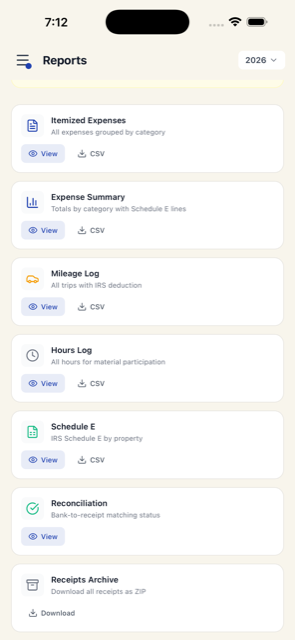
Ready in the app: Schedule C worksheet, expense summary, mileage log and every receipt. One ZIP, download and forward.
A line-by-line Schedule C worksheet, quarterly tax estimates, mileage log, and every receipt, ready the moment tax season starts. One download for your accountant.
Not just a chat. A full app.
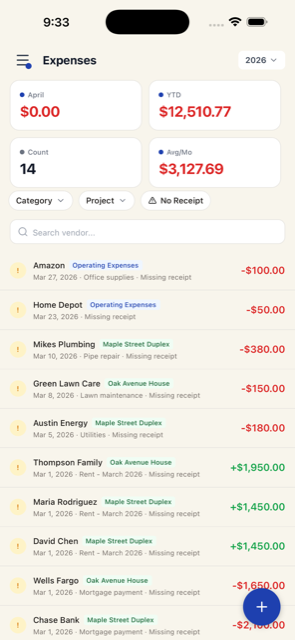
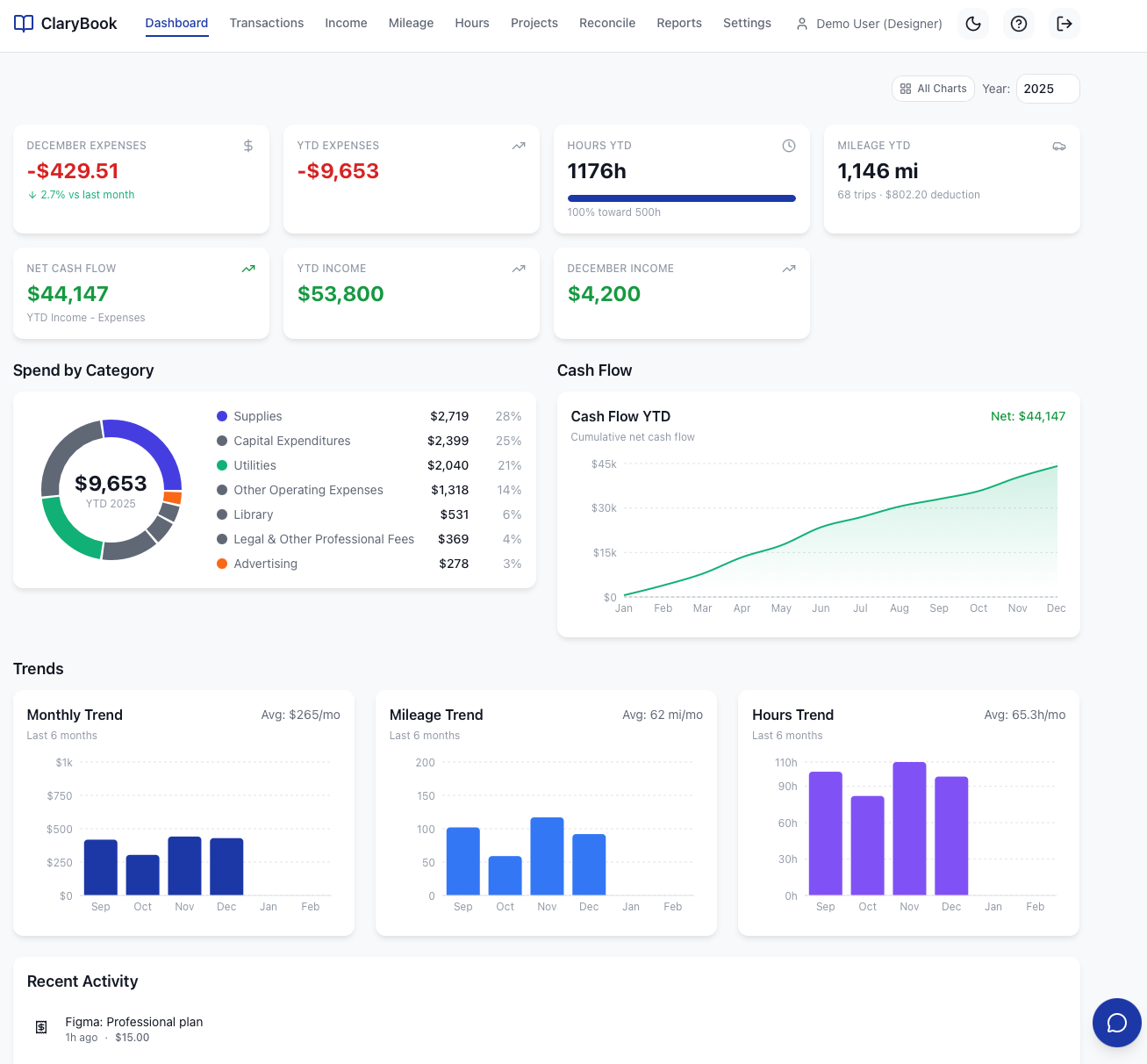
Prefer buttons and charts? It's all there. A complete web dashboard plus iPhone and Android apps. Use the chat when it's faster, the app when you want to dig in.
Your first month is free · no credit card · then from $1 a month
Your financial data
We treat your books like a bank would.
Encrypted at rest & in transit
Encrypted at rest and in transit. Always.
Your data stays yours
Never sold, never used to train AI models.
Isolated per business
Strict tenant separation. Your books are only yours.
Yours to take
Export everything, or delete your account, anytime.
We're not a bank, but we guard your numbers like one. Hosted on encrypted infrastructure.
Common questions
Everything you need to know about getting started with ClaryBook.
Do I need to install an app?
ClaryBook is best on the mobile app, free on the App Store for iPhone and on Google Play for Android. That's where the camera and the Face ID lock live. If you'd rather not install anything, you can use ClaryBook in any browser at app.clarybook.com. They all stay in sync.
How does ClaryBook help me find deductions?
Every expense you type or snap gets categorized as a business expense automatically: software, home office, equipment, travel, contractor payments, and more. Log a trip in one message, with where you started and where you went, and ClaryBook calculates the deduction at the current IRS rate. At tax time it all rolls up into a clean expense summary, categorized and ready for your accountant.
Can it help with my quarterly taxes?
ClaryBook keeps your income and expenses current all year, so you always know what you've actually made. No scrambling in April or before an estimated-payment deadline. Ask "how much did I make this quarter?" in chat and get the number instantly. ClaryBook also shows a federal quarterly estimate, self-employment tax included, before each payment is due. It doesn't file or pay anything for you, so your accountant still signs off on the final amount.
How do I keep business and personal separate?
Log only your business income and expenses in ClaryBook, and it keeps them cleanly separated from your personal spending. Connected a card or account you also use for personal spending? Tap Ignore on those transactions when you reconcile and they stay out of your books and reports, so your profit number stays accurate and your books stay clean for your accountant.
Can my accountant access my books?
Two ways. (1) Export PDF reports (Schedule C worksheet, income statement, expense summary, mileage log) or CSV data and email them directly to your accountant. (2) Invite your accountant as a team member with read-only viewer access. They get the full dashboard, every export and every receipt. You stay the owner and can remove them any time.
How does receipt scanning work?
Snap a photo or share a PDF from your email. It works in the iPhone app, the Android app, or the web portal. Clary fills in the vendor, amount, date, and category for you. You can correct anything with a quick reply. The original image or PDF is stored permanently as documentation.
Bookkeeping as easy as a text message 30 days free, no card