ClaryBook for Bookkeepers & Tax Professionals

One login. Every client's books. Billing stays with them.

Sign up on the firm track, free for your practice, and land on a console that lists every client you manage. Click into any client to work directly in their books: their expenses, income, receipts, and reports. Each client pays for their own subscription; you're never the one billed. They text receipts all year, and your Schedule E, or Schedule C, is clean before you sit down in January.

15 minutes. We walk through a real client file, no slides.

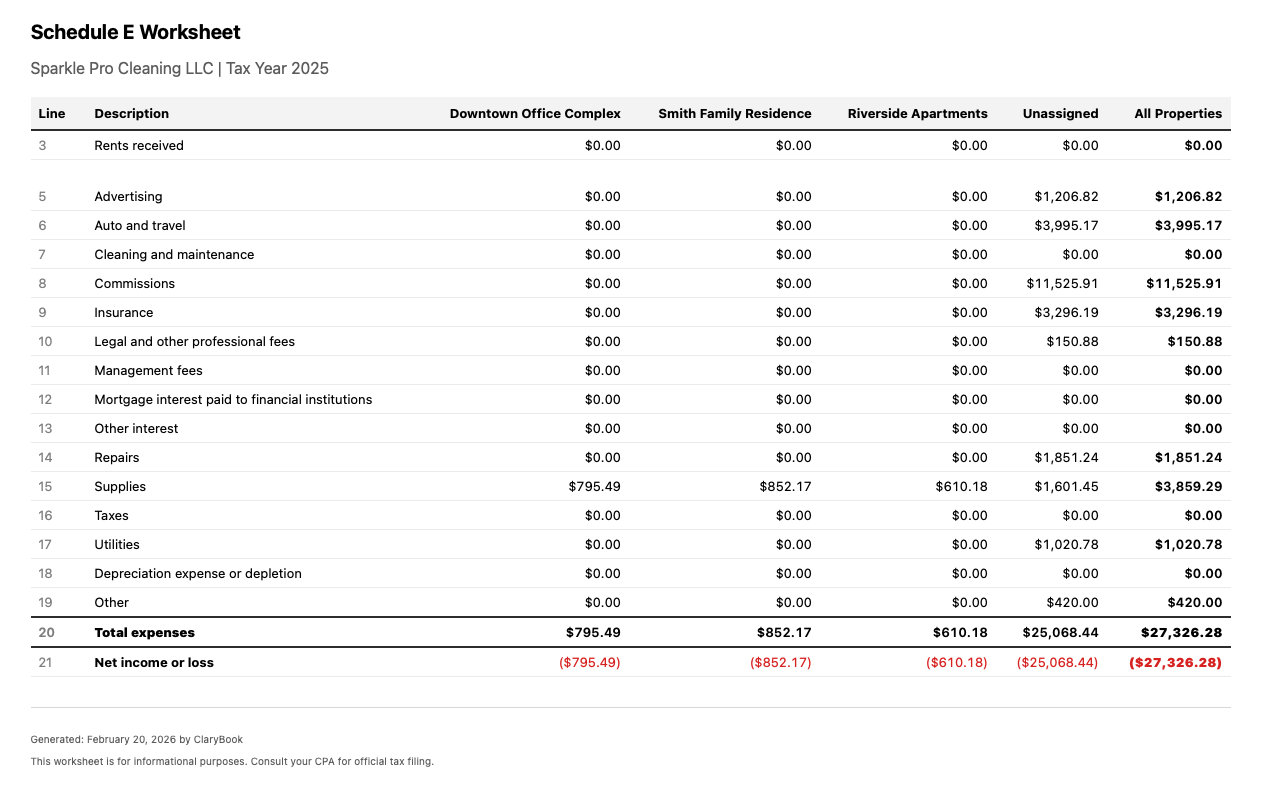
Real Schedule E worksheet exported from ClaryBook
If you've prepped a 1040 with rental income, you've seen this:

The bookkeeping your clients didn't sign up for is the bookkeeping you inherit.

One console for your practice. Three fewer headaches for your client.

Add a client and start their books today, or have an existing client invite you. Either way you work from one login, and the tax package is already organized by the time you open it.

1

Add a client, or let them invite you.

Two ways to connect. From your console, "Add client" starts a new client's books and grants you full access on the spot, invite them to set up billing whenever you're ready. Or an existing ClaryBook client invites you from their Settings under Team as their accountant. Either way the client appears in your roster.

Client texting a receipt to ClaryBook
2

Work directly in each client's books.

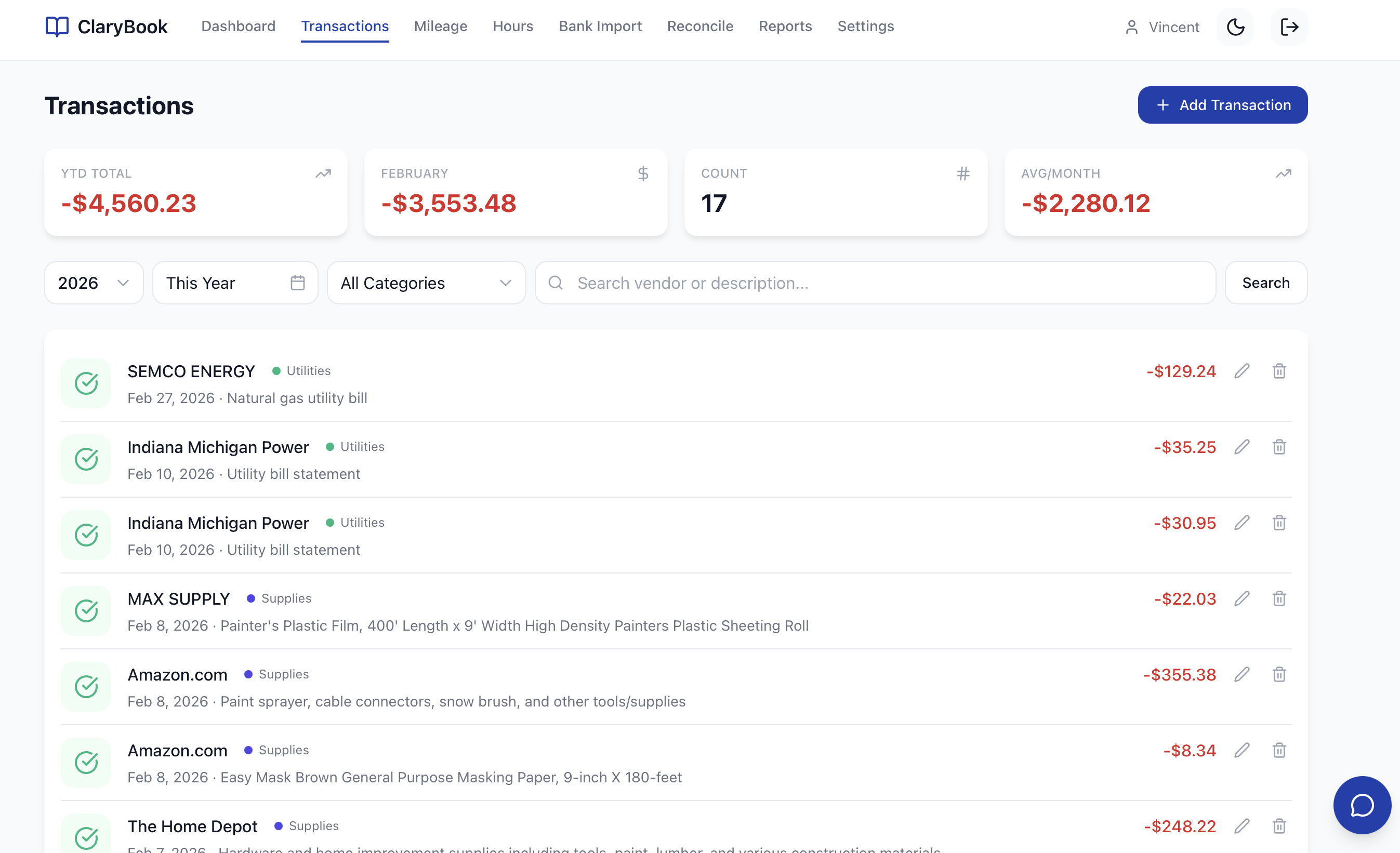
The accountant role gives you full read and write access: enter expenses and income, categorize transactions, run reports. Your client texts receipts, mileage at the 2026 IRS rate, and hours toward the 500-hour material-participation threshold, the audit-ready logs build themselves while you keep the books tidy.

Auto-categorized transactions in ClaryBook
3

Pull a clean tax package. Billing never touches you.

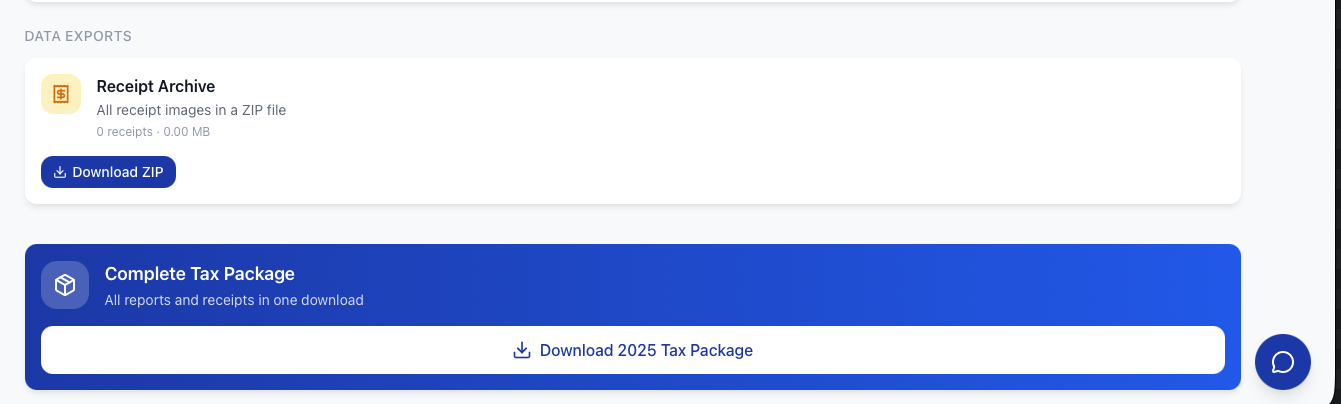
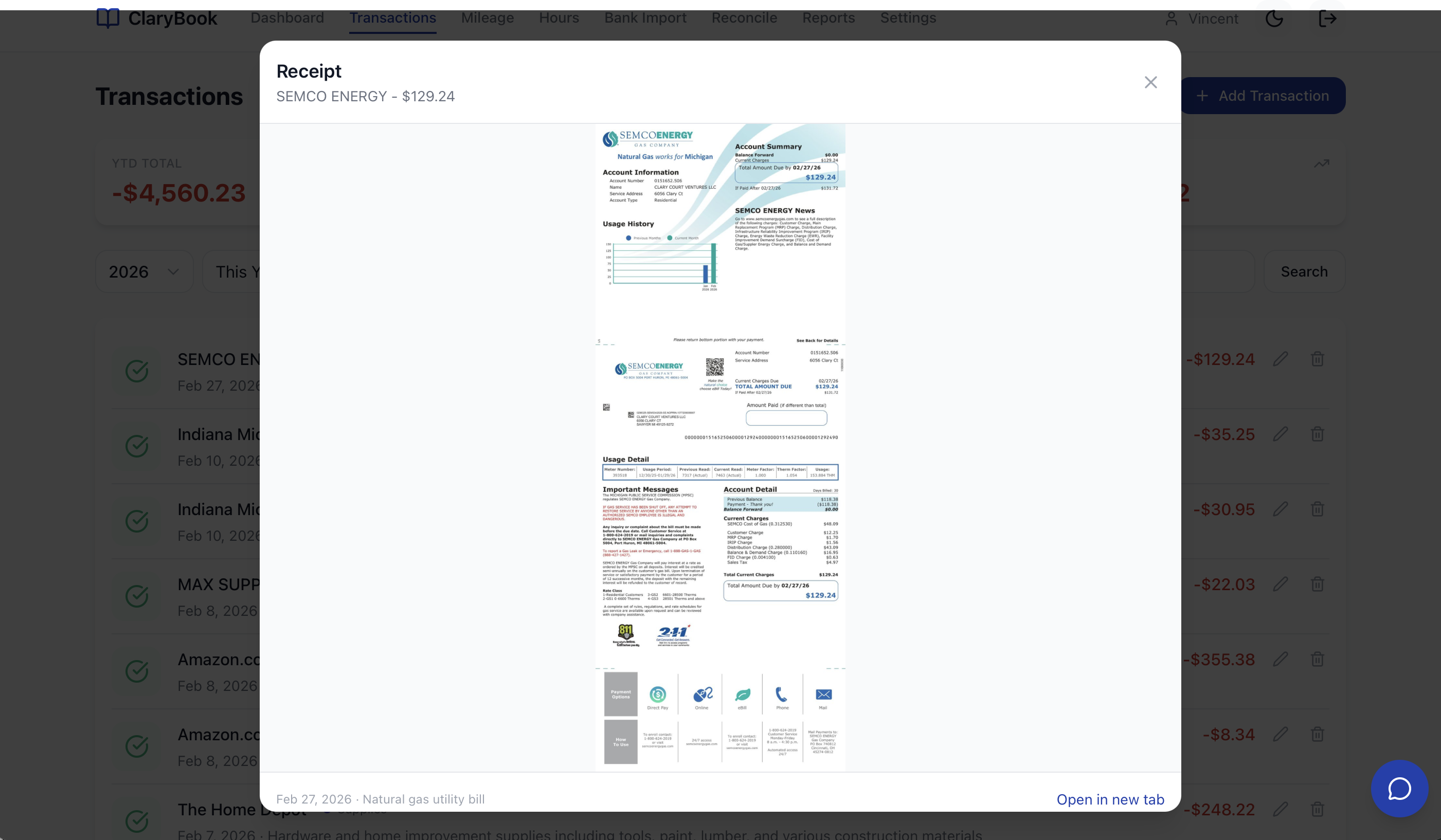
Every transaction carries its source receipt, per-property P&L is built in, and Schedule E and Schedule C worksheets are pre-mapped to IRS lines, plus a one-click ZIP of every receipt for the year. The client owns their subscription and billing; you're exempt. No follow-up emails about the $450 charge.

Complete tax package exported from ClaryBook

One login. Your whole client book.

The firm track is free for your practice. Here's what changes when your Schedule-E and Schedule-C clients run on ClaryBook, and what you get out of it.

What you get Why it matters
A roster of every client on one loginYour console lists all the books you manage, with each client's status at a glance. Click into any client to work; a click back returns to the console. No juggling separate logins.
Full access to each client's booksThe accountant role reads and writes bookkeeping data, enter expenses and income, categorize, run reports. You keep the books tidy year-round instead of reconstructing them in April.
Billing that stays with the clientThe firm console is free and you're never billed. Each client owns and pays for their own subscription, no rebilling, no wholesale seats, no invoices to chase on your side.
A real audit trail per clientIf the IRS asks, the receipt is one click from the transaction. Every entry timestamped and sourced. You inherit a clean defense, not a paper trail to reconstruct.
Bank feeds and quarterly estimates, includedEach client's books connect to their bank through Plaid, so transactions sync and auto-match all year instead of arriving as a December CSV. Federal quarterly estimates are calculated from Schedule C profit with self-employment tax and safe-harbor logic, so your client sets money aside on time and you skip the April surprise.

If it fits your practice: firms that manage several client books on ClaryBook get volume pricing that scales with the number of books. Ask us for current rates. No exclusivity, no quotas, no fee to join. The real win is operational: your ClaryBook clients reach tax season with clean, reconciled, tax-ready books, so you spend the season reviewing instead of chasing receipts.

Book a 15-min demo

We add partners by conversation, not signup form. The demo is the introduction.

Things CPAs ask in the demo

How does ClaryBook handle depreciation?
Each property has a depreciation schedule with basis, in-service date, and method. Monthly depreciation entries hit the ledger automatically. The Schedule E export shows the year's depreciation per property pre-filled. You stay in control of cost-segregation studies and §179 elections, those still flow through your prep workflow.
What if my client already uses QuickBooks or Stessa?
Most CPAs we talk to keep QBO for their S-corp and operating-business clients, and find Stessa is built for the landlord but doesn't actually do the bookkeeping. ClaryBook fits the gap: the same Schedule-E client your client won't maintain in QBO, but where Stessa leaves you doing the categorization. The three coexist.
How do my clients and I get connected?
Two directions, your choice. (1) From your firm console you add a client and their books start immediately with you on the `accountant` role, full read and write access. When they're ready, you send them a one-click invite to claim ownership and set up their own billing. (2) An existing ClaryBook client invites you from their Settings under Team by email as their accountant; on acceptance they appear in your console. Either way you get full access to work in the books (not read-only), while billing and ownership stay with the client, an accountant can't start, cancel, or be charged for a client's subscription, and the client can remove you any time.
Do firms get a discount for multiple clients?
Yes. Firms that manage several client books from one console get volume pricing that steps down as you add books. Ask us for current rates. Billing and ownership still stay with each client, and you get full read and write access to work in the books without being charged for their subscription.
Can I white-label the product so my firm's brand is on the exports?
Today, no. You and your client both see the ClaryBook brand in the console and on exports. Co-branded exports with your firm's logo and a partner console with your branding are on the roadmap. If white-label is a hard requirement, mention it in the demo and we'll see if we can move it up.
Built with CPAs

CPAs who onboard their clients shape the product. Tell us what a clean handoff needs, a report line, an export layout, a review step, and it goes straight onto the build list and ships fast. It works like a partnership, not a vendor relationship.

Try it on a real client file.

Bring a Schedule E client whose books are currently a mess. We'll walk through what the same data looks like once it's been running through ClaryBook for a year. Fifteen minutes, no slides.

Not ready for a demo? Send a client our way and we'll handle the introduction directly.